
Your suppliers, connected to your ERP.
A centralized portal where vendors confirm purchase orders, answer requests for quotation, update delivery dates and follow their invoices, all integrated with your ERP in real time.
Less manual work, stronger supplier relationships.
A vendor portal helps buyers and suppliers agree on finance, pricing, supply quantities, delivery deadlines and payment methods, and it integrates with your ERP in real time.
Keep their profile current
Contacts, addresses, bank accounts, certifications and users, updated by the vendor.
Answer RFQs
Accept or decline requests for quotation and set the price of their bid.
Confirm purchase orders
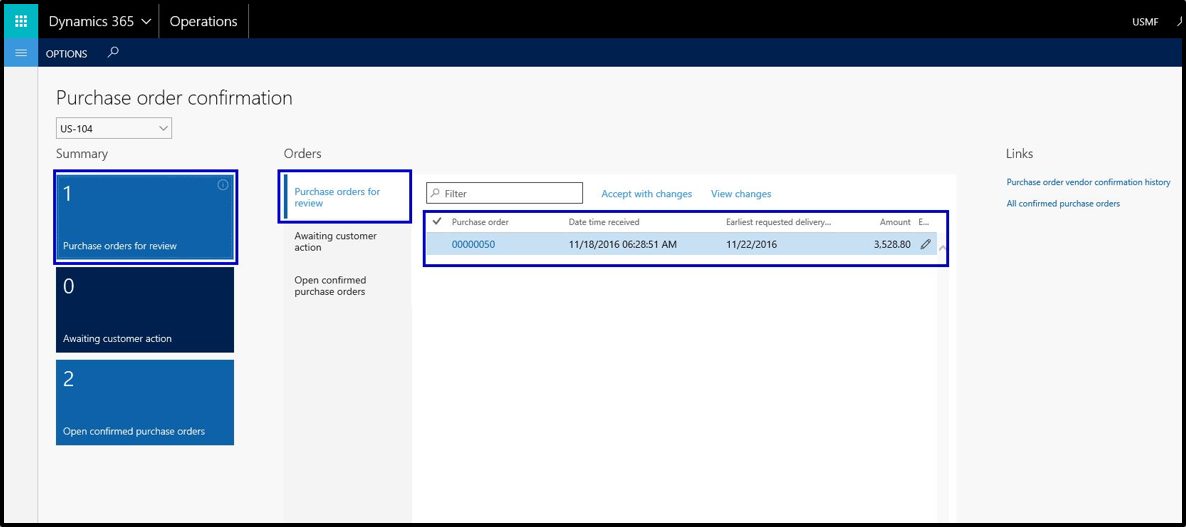
Receive the PO and confirm it, or respond with changes.
Split deliveries, suggest dates
Split delivery on a purchase order and suggest changes to delivery dates.
See attachments
Attachments you add to a PO are visible to the vendor.
Follow invoices
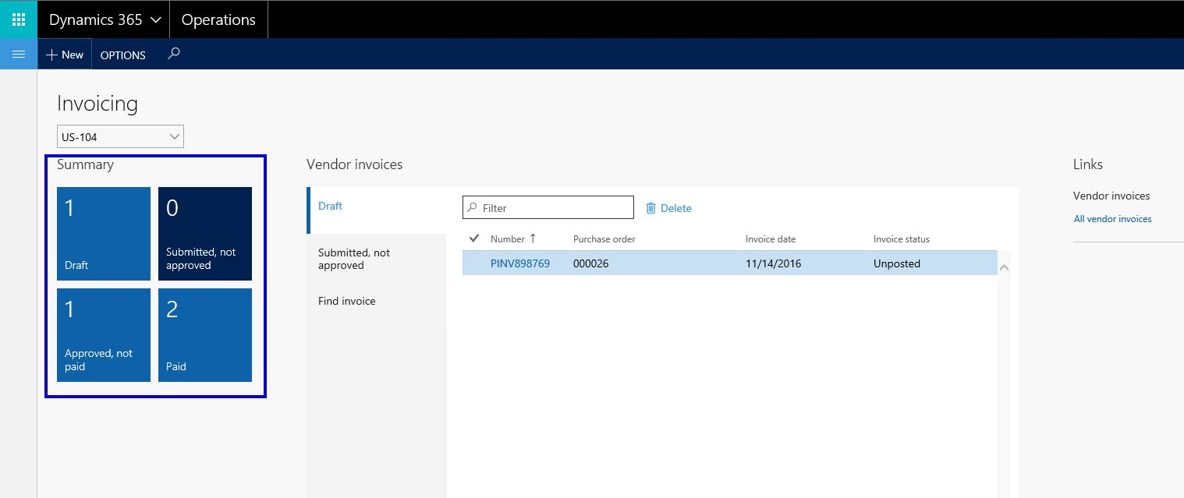
View purchase order invoices and their payment status online.
Every change agreed in one place.
When a vendor suggests a change, your team decides whether to update, change or cancel the PO. Change management can be switched on or off.
PO sent to the vendor
Purchase orders go from your ERP to the vendor through the portal.
Vendor confirms or responds
The vendor confirms the order or suggests changes, such as a new delivery date or a split delivery.
Your team decides
Accept the suggestion and update the PO, change it, or cancel it.
Delivery and invoice
The vendor updates delivery and manages invoices for the purchase order.
Payment status visible
The vendor views purchase order invoices and their payment status online.
Real screens from the portal.
Control, KPIs and a better relationship.
- Real time ERP integration. Better accuracy and speed, and fewer errors in procurement.
- Vendor performance. KPIs, compliance tracking and reports for data driven decisions.
- Controlled access. Set up user workflows, provision vendor users and approve them.
- End to end visibility. Integrated with procurement, finance and inventory modules.
Vendor Collaboration, answered.
Who sets up vendor access?
Can vendors change a purchase order themselves?
Can we switch change management off?
What does it integrate with?
Bring your suppliers into the system.
Tell us about your challenge and a Zescope professional will contact you directly.
Phone and WhatsApp +966 54 882 5503